 Instant Media
 en
en Русский
Settings
The per-chat toggles in the mini app.
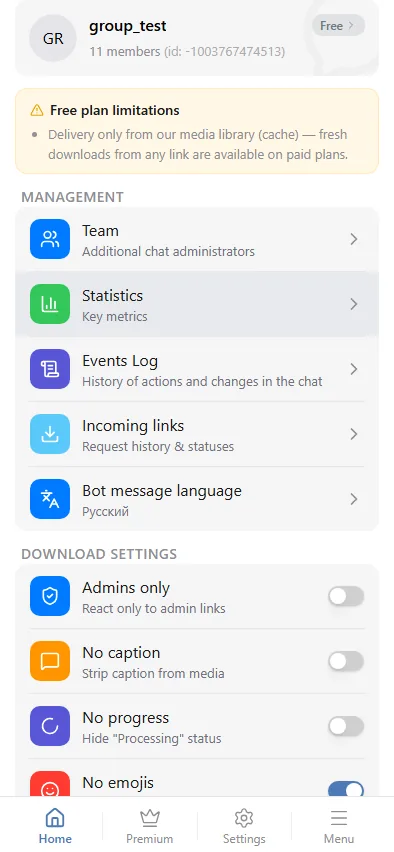
Every setting on this page is per group — set once for the chat, in the mini app's chat-settings screen, admins only.
Toggles
- Admins only — react only to links posted by group administrators. See Admins-only mode.
- No caption — strip the caption from delivered media.
- No progress — hide the "processing" status message while the bot works (on by default).
- No emojis — disable the ⏳ / ✅ / 😢 reaction on the source message.
- Audio only — extract just the audio track with its cover as a preview, instead of the full video. See Audio-only mode.
Resolution and file size
Two more controls cap what gets delivered: a maximum video resolution and a maximum file size in MB. Both are greyed out on the free plan, where delivery is cache-only at the best available quality; paid plans can lower either below their own tier's ceiling. See Resolution and file size.
Chat language
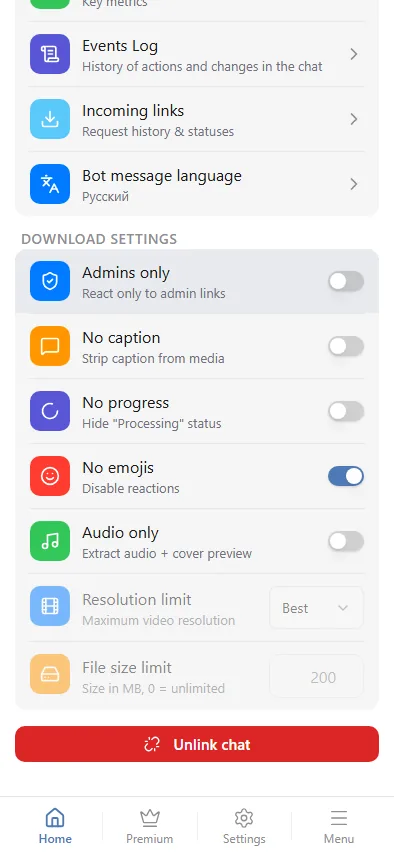
Sets the language the bot uses for its own messages in that specific group, independently of your personal Telegram language or any other group's setting.
Where the rest lives
- Statistics and logs — recent requests, traffic and the events log, on the same settings screen.
- Plans — the subscription attached to this chat.